In this 8-hour hands-on workshop, you'll turn your business, personal brand, or idea into a live app or website, even if you have zero coding experience.
You'll use AI tools to plan, design, build, secure, host, and connect your project:
- Claude for planning and design
- ChatGPT for logos, images, and graphics
- Claude Code for building and security checks
- Appwrite for hosting, database, and login
- Resend for email and app notifications
By 5:30 PM, you'll have a fully functional app or website live on the internet, accessible on both desktop and mobile.
All tools, subscriptions, and accounts are provided. You don't need to buy or set up anything. Just bring your laptop and your content or idea.
Beginner-friendly. Step-by-step guided. No coding experience needed.
See What You Can Build with AI
The stack is flexible enough to cover most common app and website needs. Here are the types of projects past students have built or that fit well within a one-day timeline.
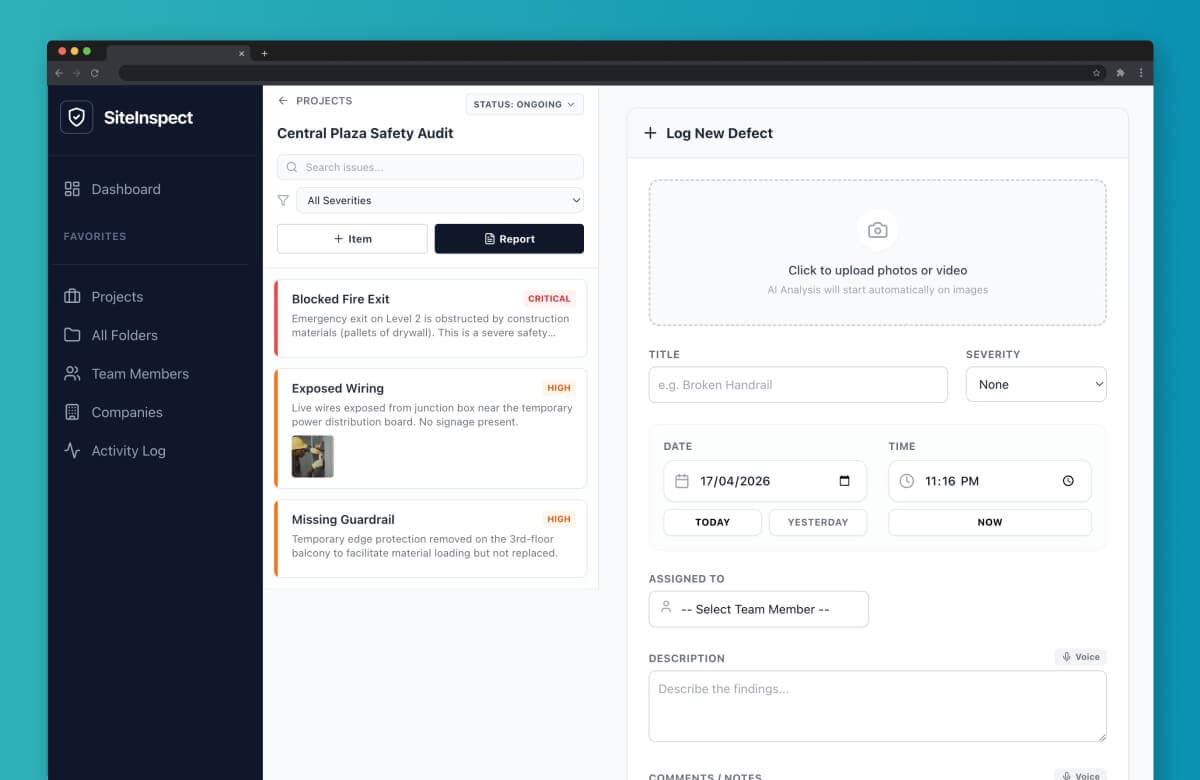
Site Inspector App
An enterprise app for storing and managing inspection documentation.
1 / 12App and websites you can build:
- MVP: a working first version to test an idea before hiring a developer
- Internal tool, dashboard, or simple CRM: manage your team, clients, or operations
- Calculator, lead tracker, or client portal: practical tools for agents, advisors, and consultants
- Operations tool: replace a messy spreadsheet with a proper interface
- Productivity or client tracker: track tasks, clients, or progress
- Business website: company site with services, about, and contact pages
- Personal brand site: portfolio or about-me site for consultants, coaches, or freelancers
- Marketing landing page: single-page site to promote a product, service, or campaign
- Booking site or system: forms for bookings, RSVPs, or service enquiries
- Listing or showcase site: catalogue-style site for properties, products, or services
Why this workshop is different
Most AI courses stop at theory.
This workshop is hands-on. You bring your own content, business, or idea, and we use it to build the app or website you actually want.
I'll show you the process step by step, then guide you as you build it yourself.
Classes are capped at 3 to 5 students, so you get personal support throughout the day.
Don't have an idea yet? No problem. We'll provide 3 to 5 ready-made website and app ideas you can build and learn with.
By the end of the workshop, your project will be live on the internet.
Reserve Your SeatWhat This Workshop Covers
- The Basics: understand frontend, backend, database, hosting, and domains
- AI Planning: plan your features, content, structure, and user flow with Claude
- Brand Direction: create your colours, fonts, visuals, and overall design style
- AI Assets: generate logos, images, and graphics with ChatGPT
- Building: build your app or website step by step with Claude Code
- Backend Setup: set up hosting, database, login, and backend features with Appwrite
- Notifications: connect form submissions, app notifications, and email alerts with Resend
- Security Checks: run basic security checks before launch
- Live Deployment: deploy your project live with Git
- Custom Domain: connect your domain so your site or app is publicly accessible
Who this is for
- Business owners looking to revamp their website or build an internal tool
- Property agents, financial advisors, and consultants building lead trackers, calculators, or client portals
- Founders building MVPs to test an idea before hiring a developer
- Coaches, trainers, and educators creating booking systems, client trackers, or learning tools
- Operations teams replacing messy spreadsheets with proper tools
- Individuals building personal projects, portfolios, or side hustles
- Teams building websites or tools for their companies
- Anyone curious about building with AI
✨ This website is also completely planned, written, designed, and developed by Claude, including the graphics.
What you walk away with
- A working app or website, deployed and accessible via a real URL you can share
- Your project files on your machine, ready to keep building
- Practical experience with Claude, ChatGPT, Claude Code, Appwrite, and Resend
- A clearer understanding of the AI tool landscape for your next project
- A launch checklist for websites and apps
- An app store publishing checklist for Google Play and Apple, so you know the path forward if you decide to go native later
What you need
- A laptop, Windows or Mac, with Chrome installed
- Basic computer experience, such as using a browser and typing
- Your content or idea: a logo, images, text, or an app concept (or come ready to learn, we provide ideas too)
See What Our Students Have Built and Said
See what they had to say about the workshop.
Why learn from us

I've spent 12 years designing and developing through Jin Design, launching over 100 projects for clients including Phillip Futures, Singlife, Allianz, VulcanPost, and Lion Global Investors.
Over the past year, I've been using AI to build real websites and apps faster, from planning and design to development and launch. One of our own websites, Zantific, was completed in 7 days using this workflow, and I've shipped multiple working apps the same way. I'll show you the live products at the start of the workshop, not screenshots.
Classes are kept small, with only 3 to 5 students, so every person gets hands-on guidance and leaves with a deployed app or website, not just notes.
Reserve Your SeatWhy This AI Stack
There are many AI building tools, but most are either too limited, too technical, or too scattered.
This workshop uses a practical stack to help beginners go from idea to live app or website in one day.
- Claude helps you plan your project, structure your content or features, and define your brand direction
- ChatGPT helps you create logos, images, graphics, and visual assets
- Claude Code helps you turn your plan into real files and run basic security checks
- Appwrite handles hosting, database, login, and backend features in one place
- Resend powers form submissions, app notifications, and email alerts
The workflow is simple:
Plan with Claude. Create with ChatGPT. Build with Claude Code. Host with Appwrite. Send with Resend.
By the end, you are not just learning AI tools. You are using them to launch a real app or website.
Reserve Your Seat
We don't just teach. We build.
Built with the same AI tools and methods we teach.
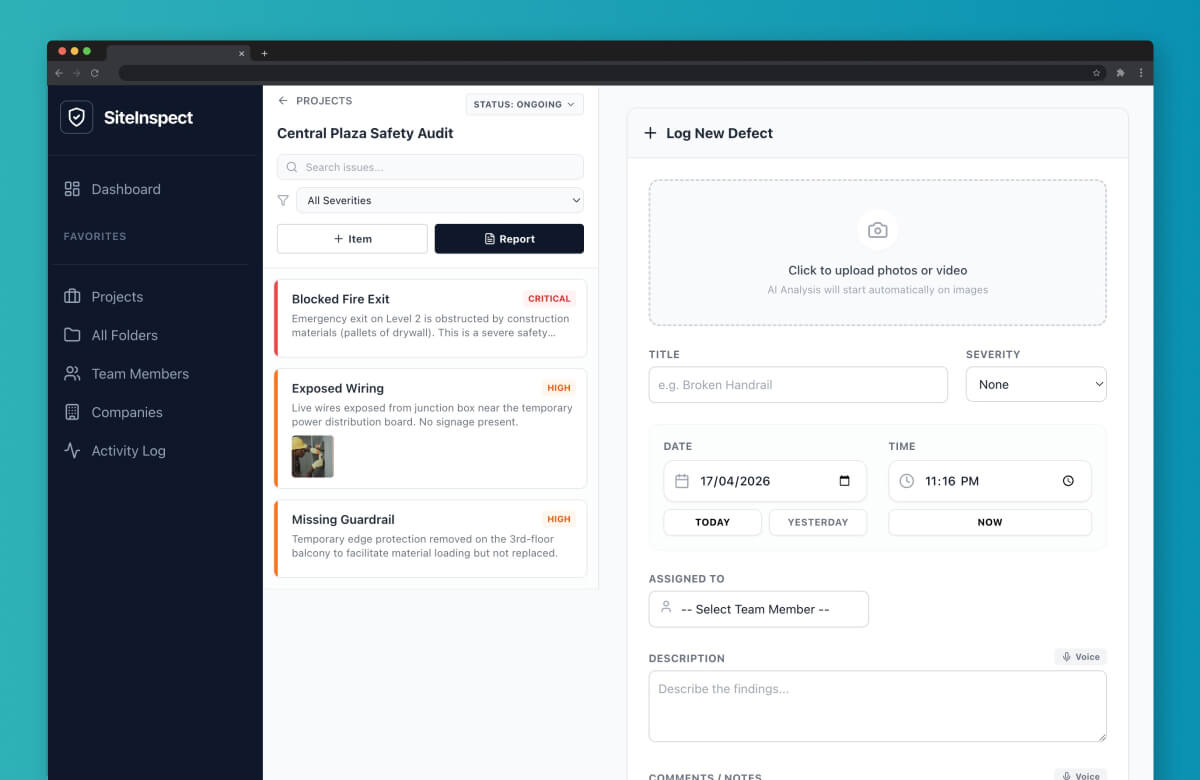
Site Inspector App
A business application for storing and managing inspection and site survey documentation. Demonstrates how AI development can produce enterprise-grade tools for field operations and compliance workflows.
- Structured storage for inspection records and survey data
- Document organisation by site, date, and category
- Designed for on-site mobile access
- AI-built solution replacing manual documentation processes
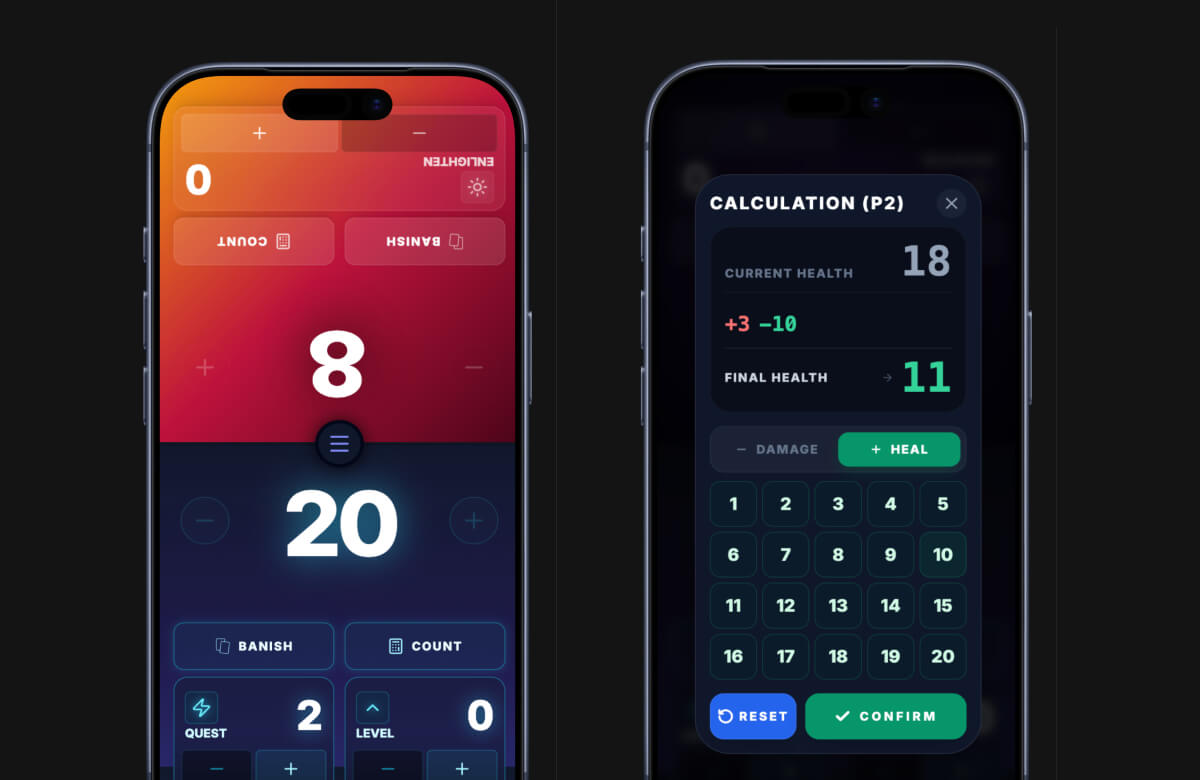
Zantome GA
A full-featured companion app for Grand Archive TCG, built entirely with AI-assisted development. Zantome demonstrates how vibe coding can produce a polished, production-ready product that serves a real user community.
- Real-time life and resource tracking
- Match history and session logging
- Intuitive UI designed for speed during live gameplay
- Built and iterated end-to-end using AI tools
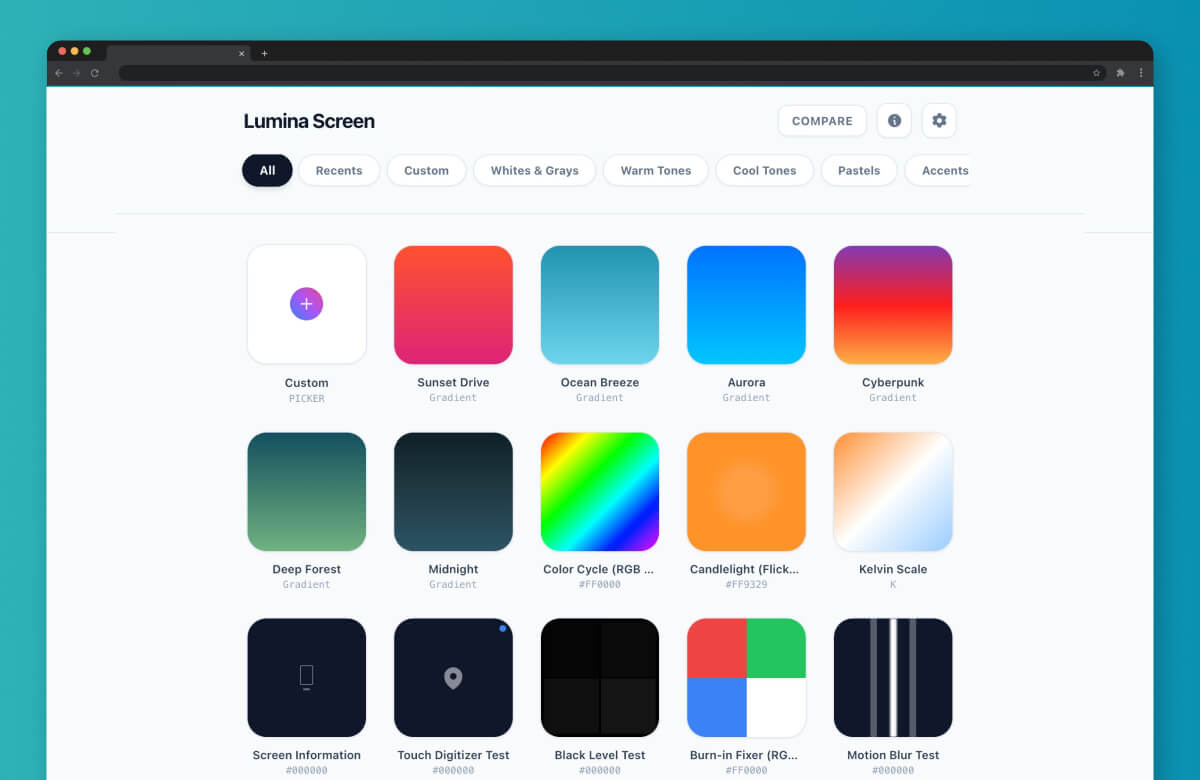
Screen Colour Tester
A full-screen colour testing utility built for display calibration and quality assurance. A simple concept taken from idea to functional product using AI development in a single session.
- Full-screen colour rendering across custom values
- Multiple testing modes for display evaluation
- Zero-dependency, browser-based tool
- Rapid AI-built prototype to production pipeline
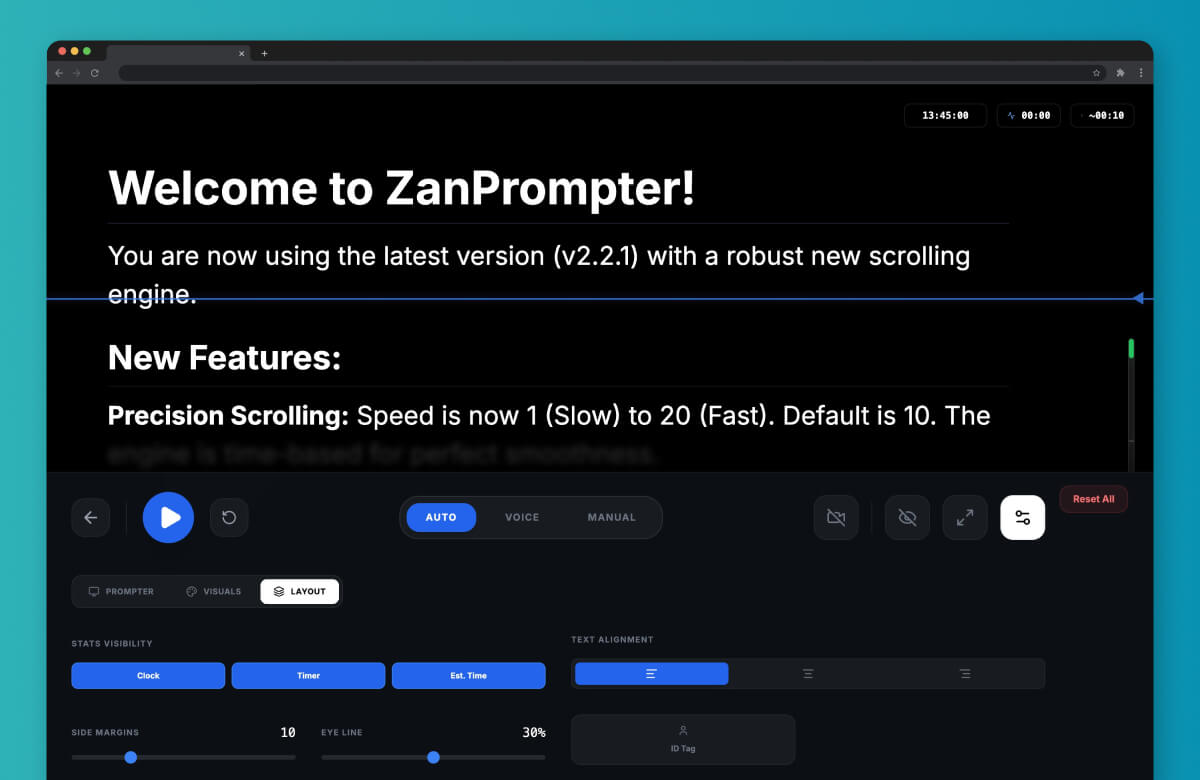
Teleprompter
A browser-based teleprompter application designed for content creators and presenters. Built with AI to demonstrate how everyday productivity tools can be developed quickly without traditional engineering overhead.
- Adjustable scroll speed and font sizing
- Full-screen presentation mode
- Clean, distraction-free reading interface
- Fully responsive across desktop, tablet, and mobile devices
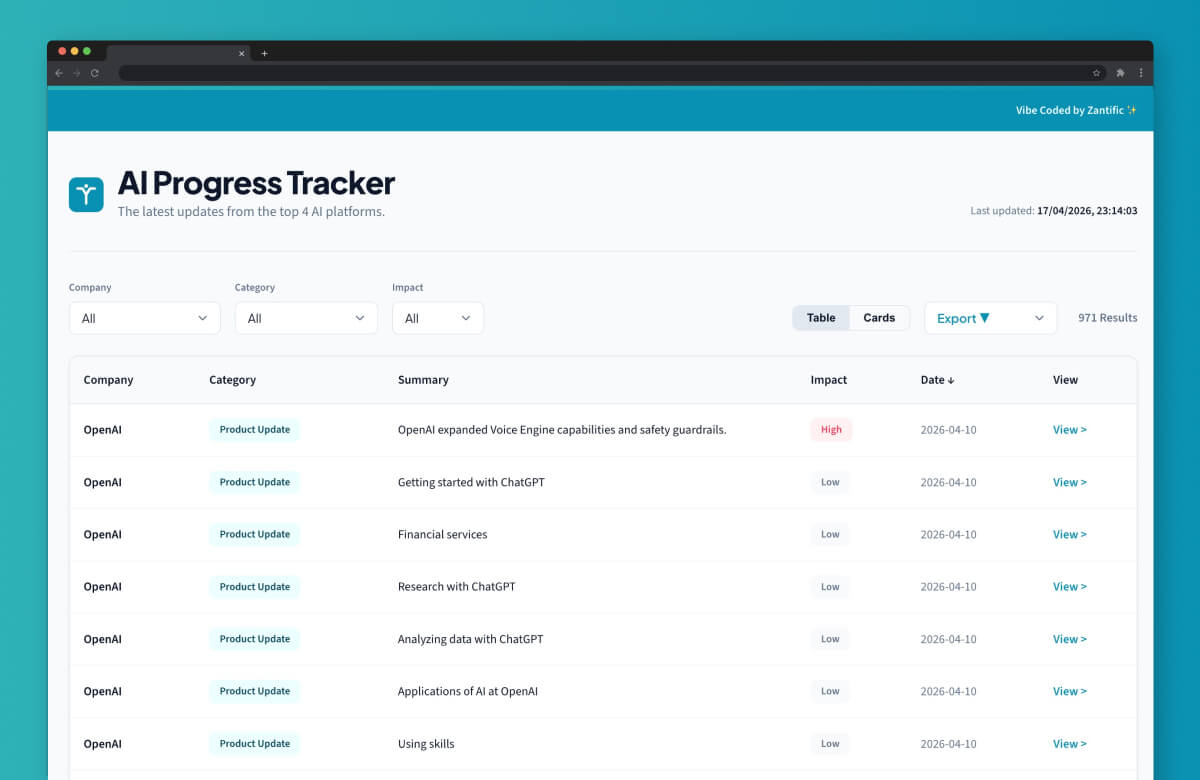
AI Progress Tracker
A monitoring dashboard that tracks capability updates across ChatGPT, Gemini, and Claude. Purpose-built to help professionals stay current on the rapidly evolving AI landscape.
- Side-by-side model comparison and changelog tracking
- Regular updates as new capabilities are released
- Curated for business-relevant AI developments
- Built and maintained using AI-assisted workflows
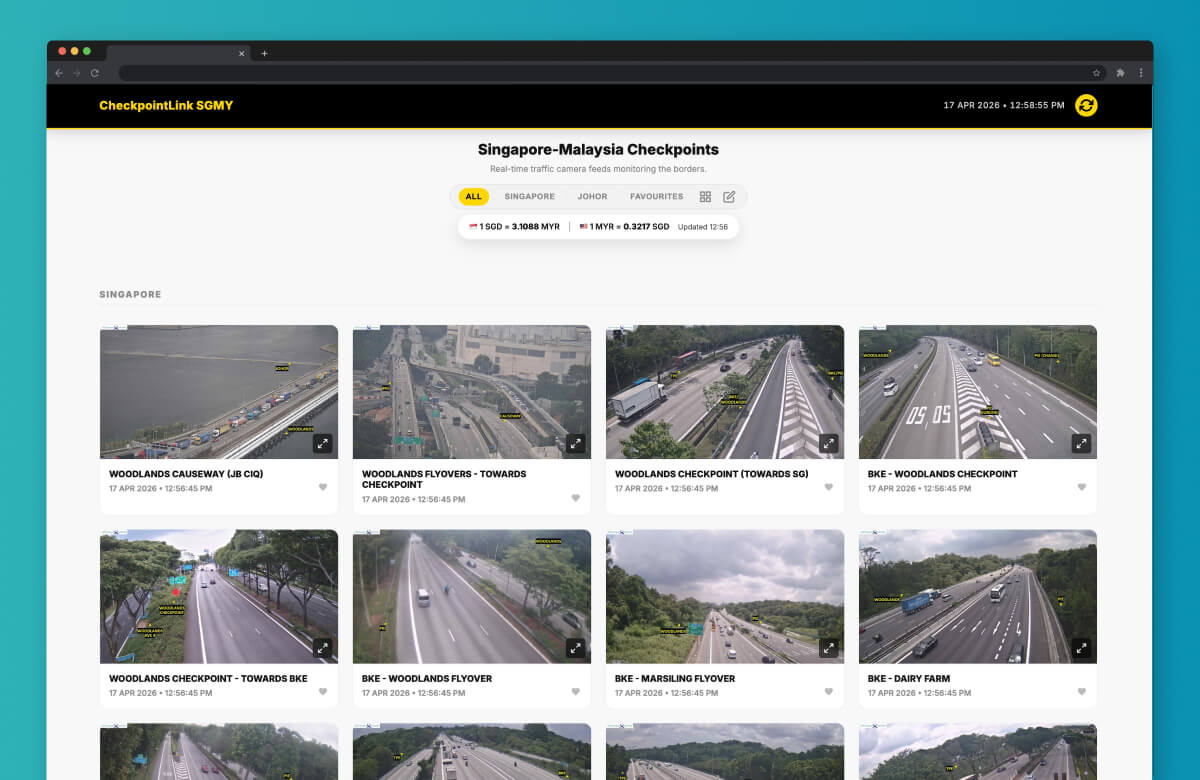
Checkpoint Camera Feed
A live camera feed aggregator for Singapore-Malaysia border checkpoints, delivering real-time traffic visibility to commuters. This project showcases how AI-assisted development can rapidly integrate publicly available gov.sg API data into a practical, user-facing tool.
- Real-time checkpoint camera streaming via gov.sg open data APIs
- Multi-checkpoint view for quick comparison
- Lightweight, mobile-responsive interface
- Developed and deployed using AI-assisted workflows